A Personal Bookshelf System: A Zero-Cost Automation Serverless Architecture
January 13, 2026Note: This article is part of an ongoing AI-assisted development series (/ai). In keeping with the subject matter, all the code for this system was written by Claude Opus 4.5 while I provided the architectural direction and workflow design.
My bookshelf page serves as both a personal reading archive and a recommendation resource for visitors interested in similar topics. Over the years, it has grown to include more than 1000 books across philosophy, technology, business, spirituality, and fiction. Maintaining this list has become a recurring friction point because new books arrive frequently, sometimes many in a single week, and adding them to the website is quite a manual and extensive process.
The workflow described in this article uses Telegram, Cloudflare Workers, Cloudflare KV, Gemini API (with Claude Haiku and GPT-4o-mini as fallbacks), GitHub, and Netlify to reduce book cataloging to a three message conversation: photograph the books, confirm the details, and update my bookshelf on the website. The entire system runs on free tier services with zero monthly costs.
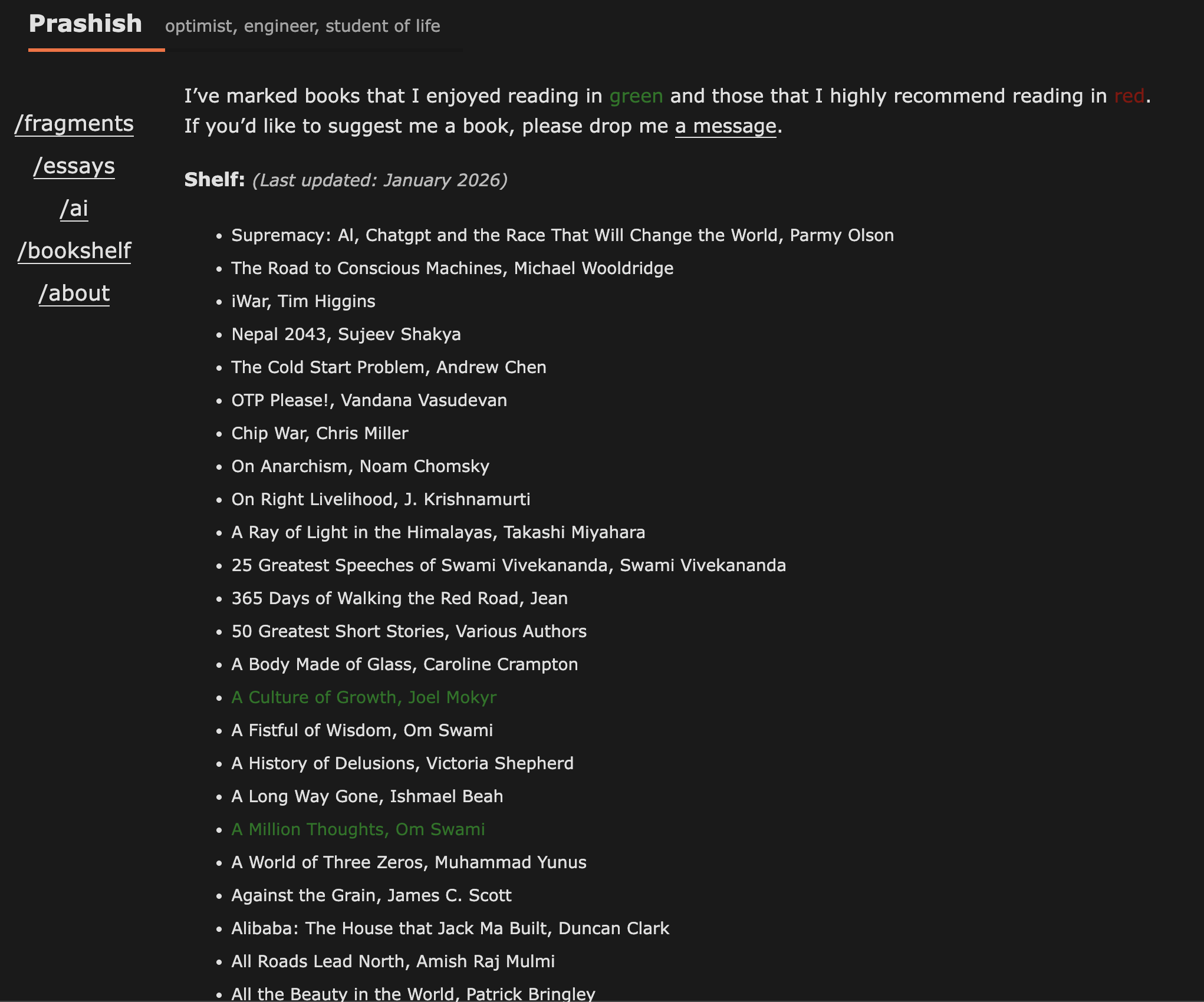
The bookshelf page with over 1000 books
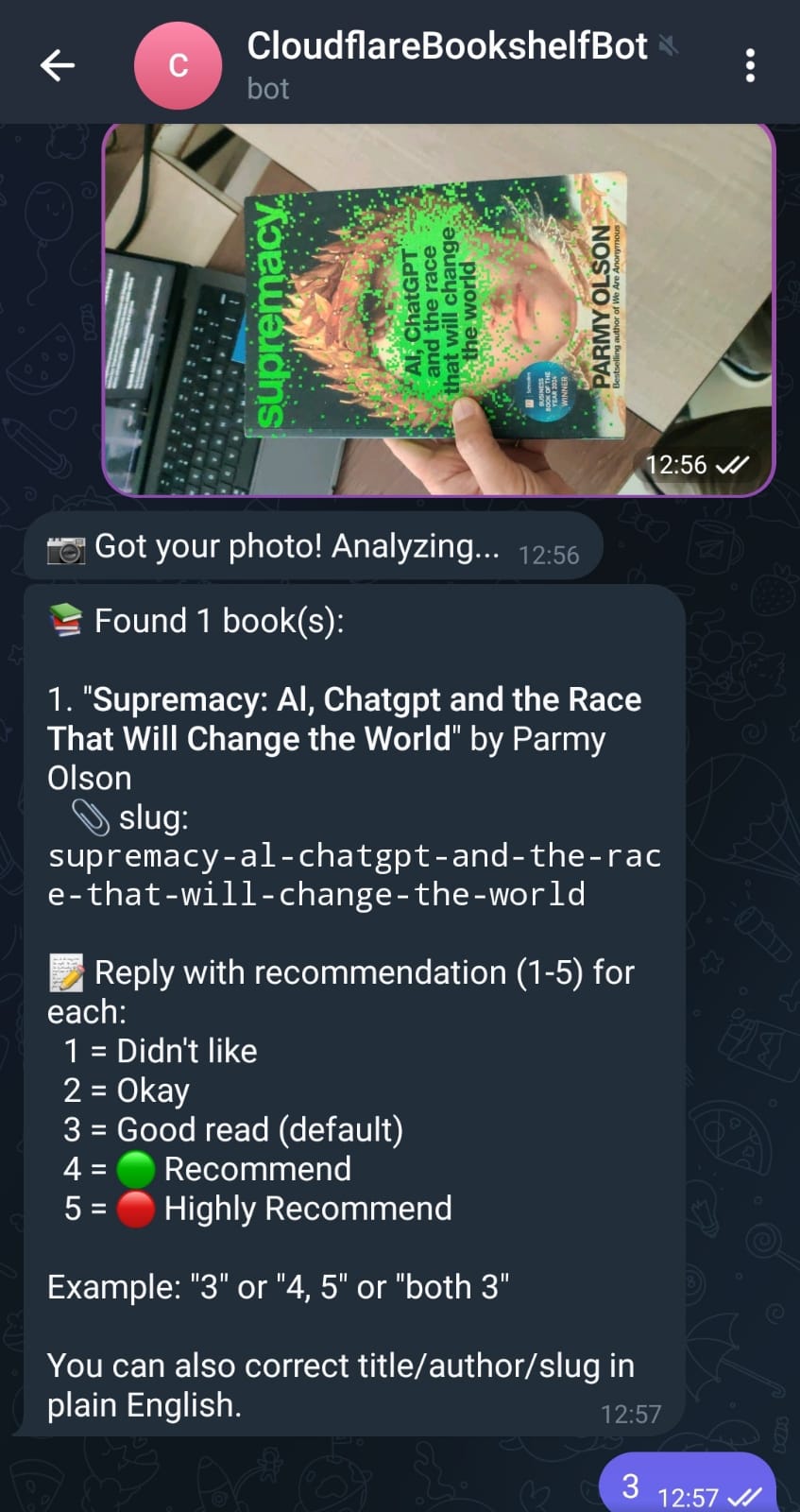
Step 1: Photo sent
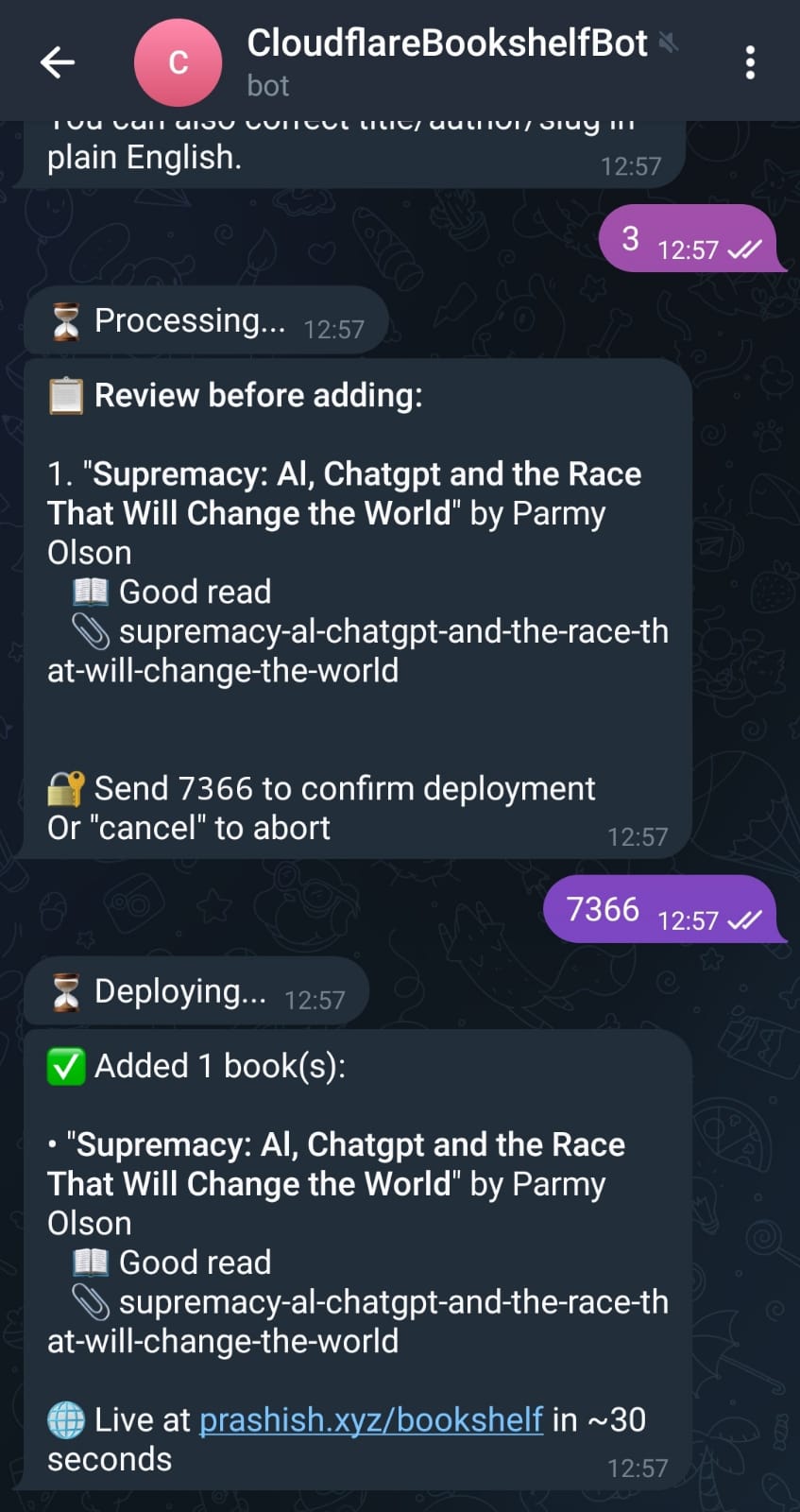
Step 2: Confirmed and live
The Original Cataloging Process
The first time I cataloged my books, I took about 50 photos with 10 or more books stacked in each frame. These photographs were processed through an AI assistant with a simple extraction prompt, and the results were exported to a Google Sheet where a script converted each row into Hugo markdown files.
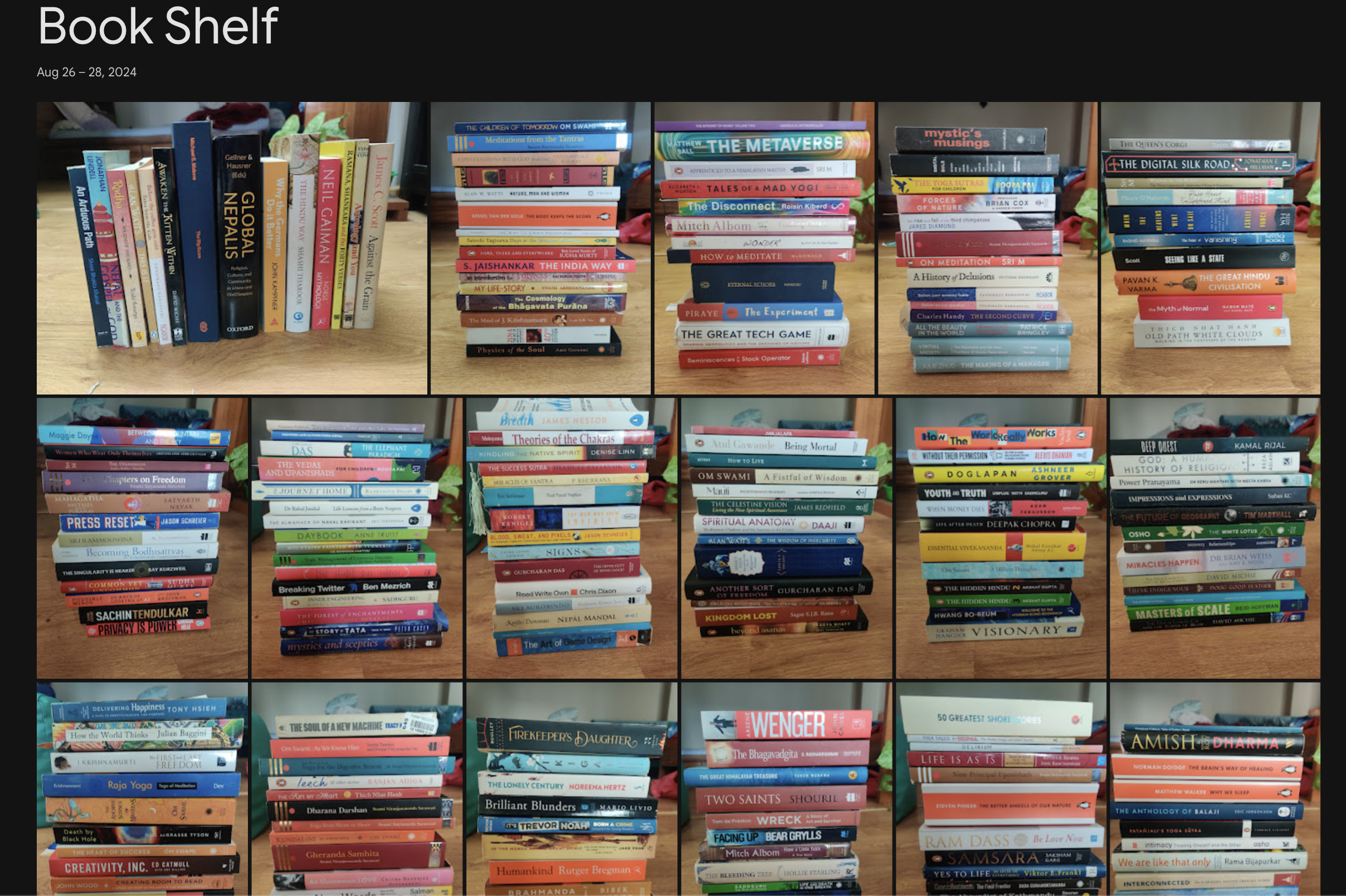
The original approach with 50+ photographs like this
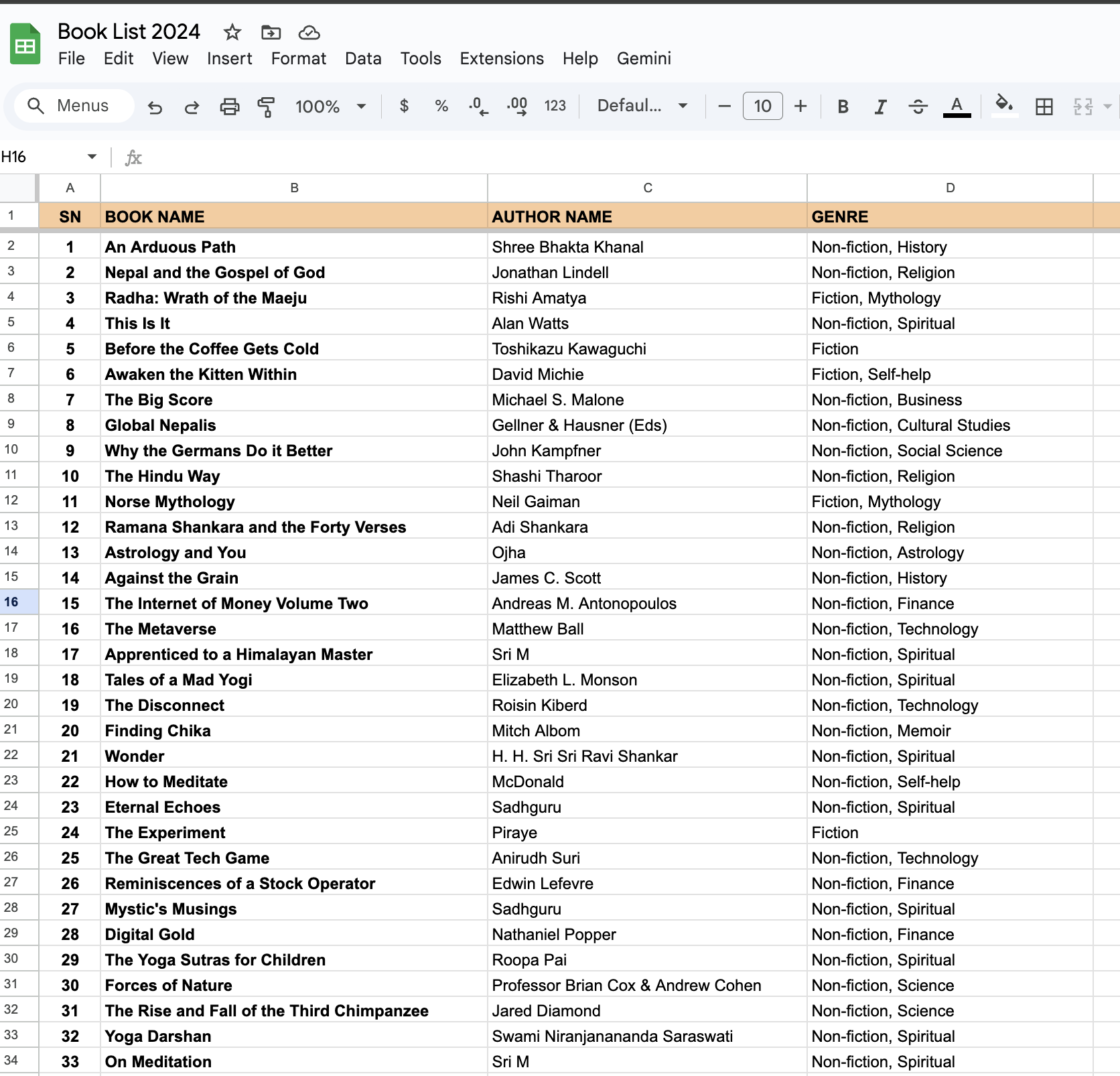
Books extracted to Google Sheets, then converted to markdown files
This batch approach worked well for the initial migration but adding new books meant opening a spreadsheet, manually entering title and author information, running the conversion script, committing changes to GitHub, and waiting for Netlify to rebuild the site. Because of this friction, I had not updated my bookshelf online since August 2024.
Exploring Automation Options
After more than a year, I decided to tackle the problem given the current pace of development in AI. I started by consulting ChatGPT, Claude, and Z AI for ideas on how to automate this workflow. I got suggestions ranging from building a dedicated web application to using Zapier integrations to setting up cron jobs that monitor folder changes.
The no-code platforms seemed promising at first with Pipedream offering Telegram triggers and GitHub actions while Make.com provided visual workflows for connecting services together. However, both platforms felt like overkill because they introduced multiple connected services, configuration overhead, and monthly limits that would eventually incur costs.
The actual requirement was much simpler: take a photograph when I get a new book, have AI identify the titles and authors, confirm or correct the details through conversation, and push the results to the website automatically. This pattern maps directly to a webhook that processes images and commits files, which Cloudflare Workers could handle in a single deployment with zero infrastructure management.
System Architecture
The final architecture connects four external services through a Cloudflare Worker that orchestrates the complete workflow.
┌─────────────────────────────────────────────────────────────────────────────┐
│                              WORKFLOW FLOW                                   │
└─────────────────────────────────────────────────────────────────────────────┘

    📱 USER                  ☁️ CLOUDFLARE WORKER              📦 EXTERNAL SERVICES

  1. Send Photo ──────────▶ Webhook receives image ──────────▶ Gemini API

  2. Wait for response ◀── Extract books, store in KV ◀────── Returns book data

  3. Receive books    ◀─── Return identified books

  4. Send ratings ────────▶ Parse natural language
                           Generate OTP, store in KV

  5. Receive preview  ◀─── Show books + OTP

  6. Send OTP ────────────▶ Validate confirmation ───────────▶ GitHub API
                           Commit markdown files              Triggers Netlify

  7. Confirmation     ◀─── Success message                    Website updated!
┌─────────────────────────────────────────────────────────────────────────────┐
│                           CONVERSATION STATE                                 │
└─────────────────────────────────────────────────────────────────────────────┘

  ┌─────────────────┐     ┌─────────────────┐     ┌─────────────────┐     ┌─────────────────┐
  │  Photo Received │     │ Awaiting Rating │     │ Awaiting OTP    │     │    Deployed     │
  │                 │────▶│                 │────▶│                 │────▶│                 │
  │  Extract via    │     │  Parse natural  │     │  Validate OTP   │     │  Clear state    │
  │  Gemini API     │     │  language input │     │  Commit to Git  │     │  Send confirm   │
  └─────────────────┘     └─────────────────┘     └─────────────────┘     └─────────────────┘
The entire system runs as a single script file deployed on Cloudflare Workers, which provides 100,000 free requests per day and global distribution. The worker receives webhooks from Telegram, calls Gemini API to identify books from photos, manages conversation state in Cloudflare KV, and commits markdown files directly to GitHub which triggers the Netlify rebuild.
The system includes automatic fallback to Claude Haiku and GPT-4o-mini if Gemini encounters rate limiting, ensuring the workflow never fails due to API availability. Fine-grained personal access tokens limit GitHub permissions to the specific repository and branch.
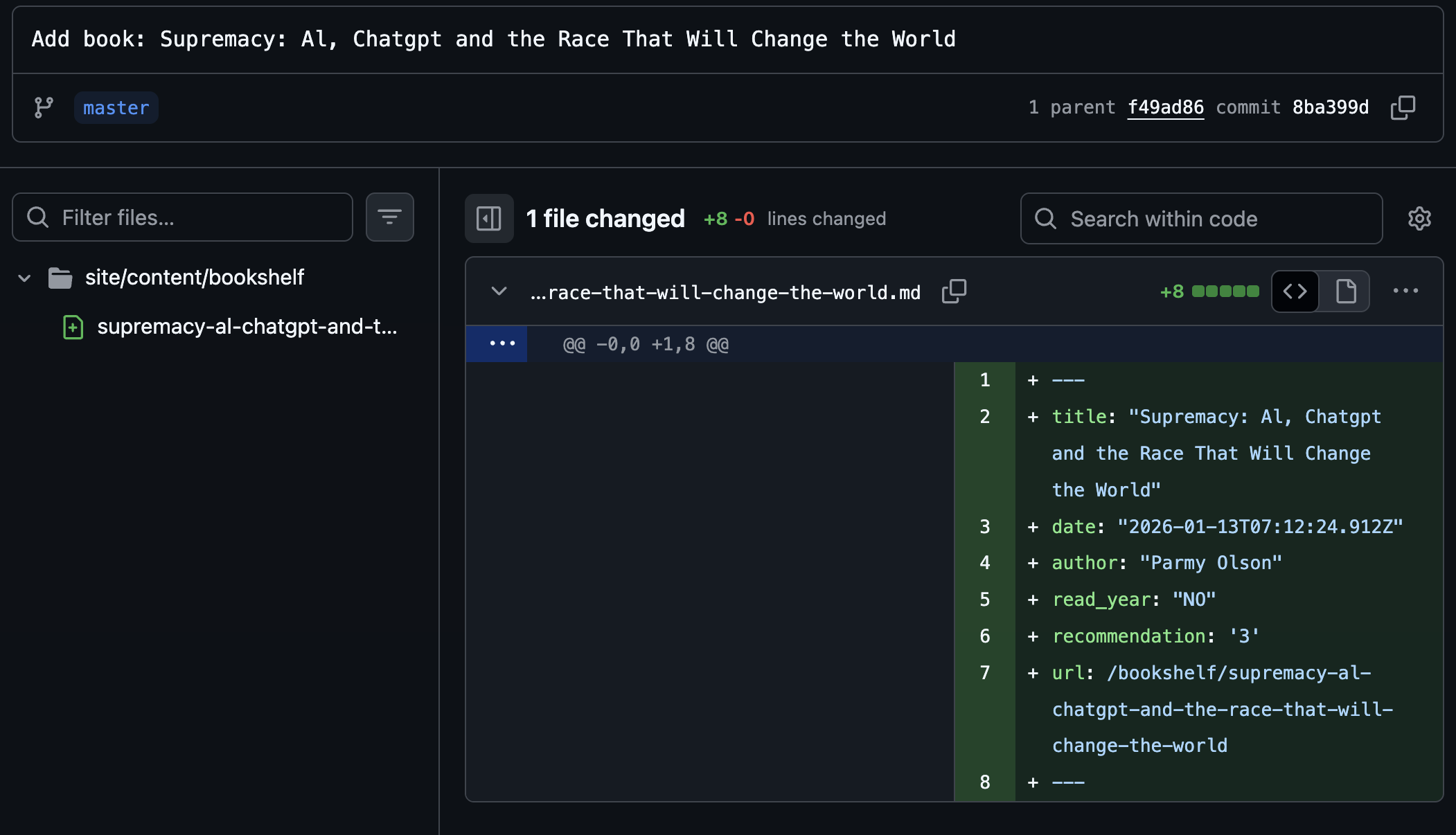
The bot automatically commits markdown files to GitHub, triggering the deployment
Conversation Flow
The workflow in practice demonstrates how book cataloging happens through a familiar messaging interface.
After photographing two books, the bot responds within seconds with the extracted information:
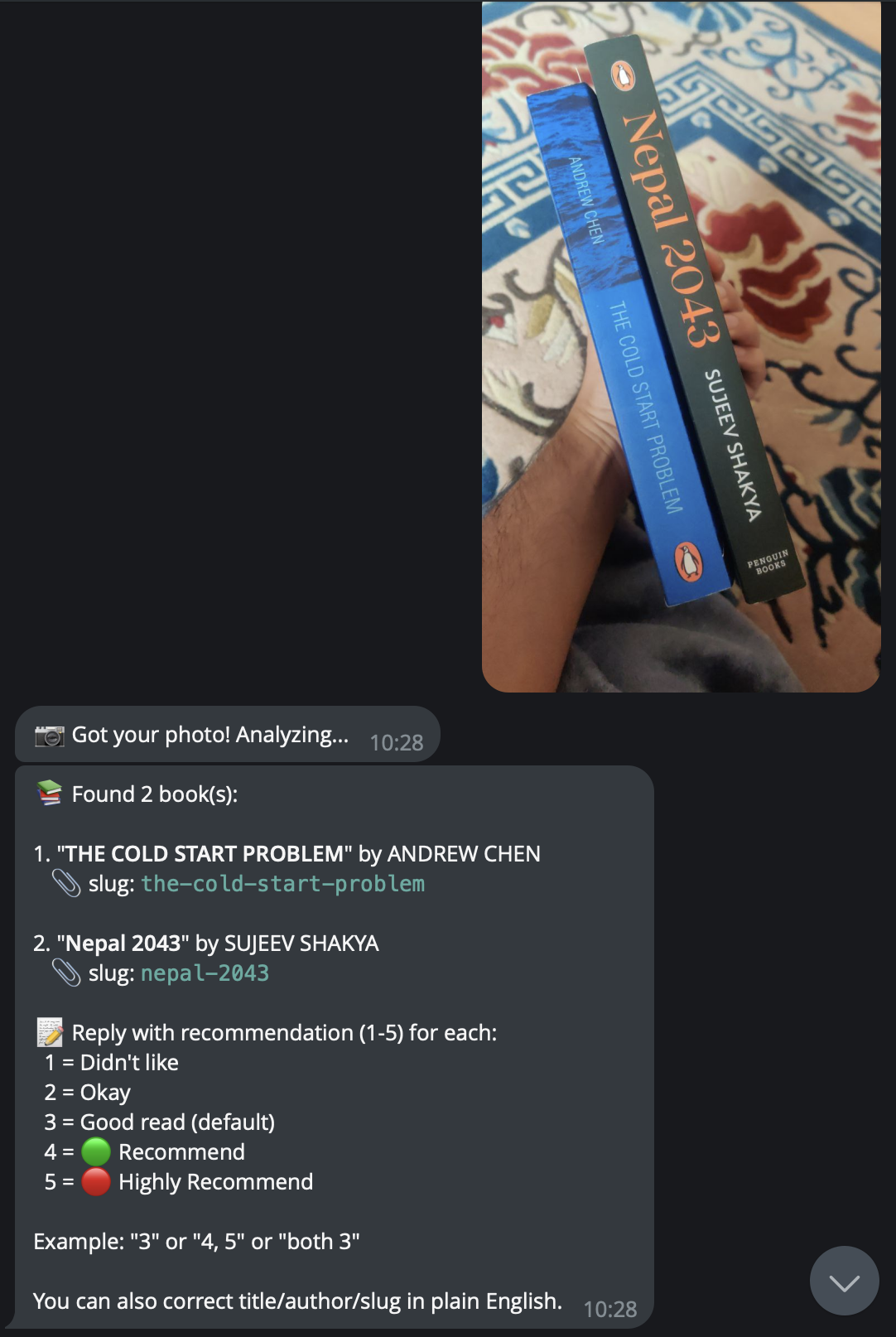
AI identifies books from the photo
The response can be as simple as “3 for both” or can include corrections in plain English such as “first one is actually by a different author” which the system parses and applies correctly. This natural language correction capability eliminates the need to remember any special syntax because another AI call handles the interpretation of user intent.
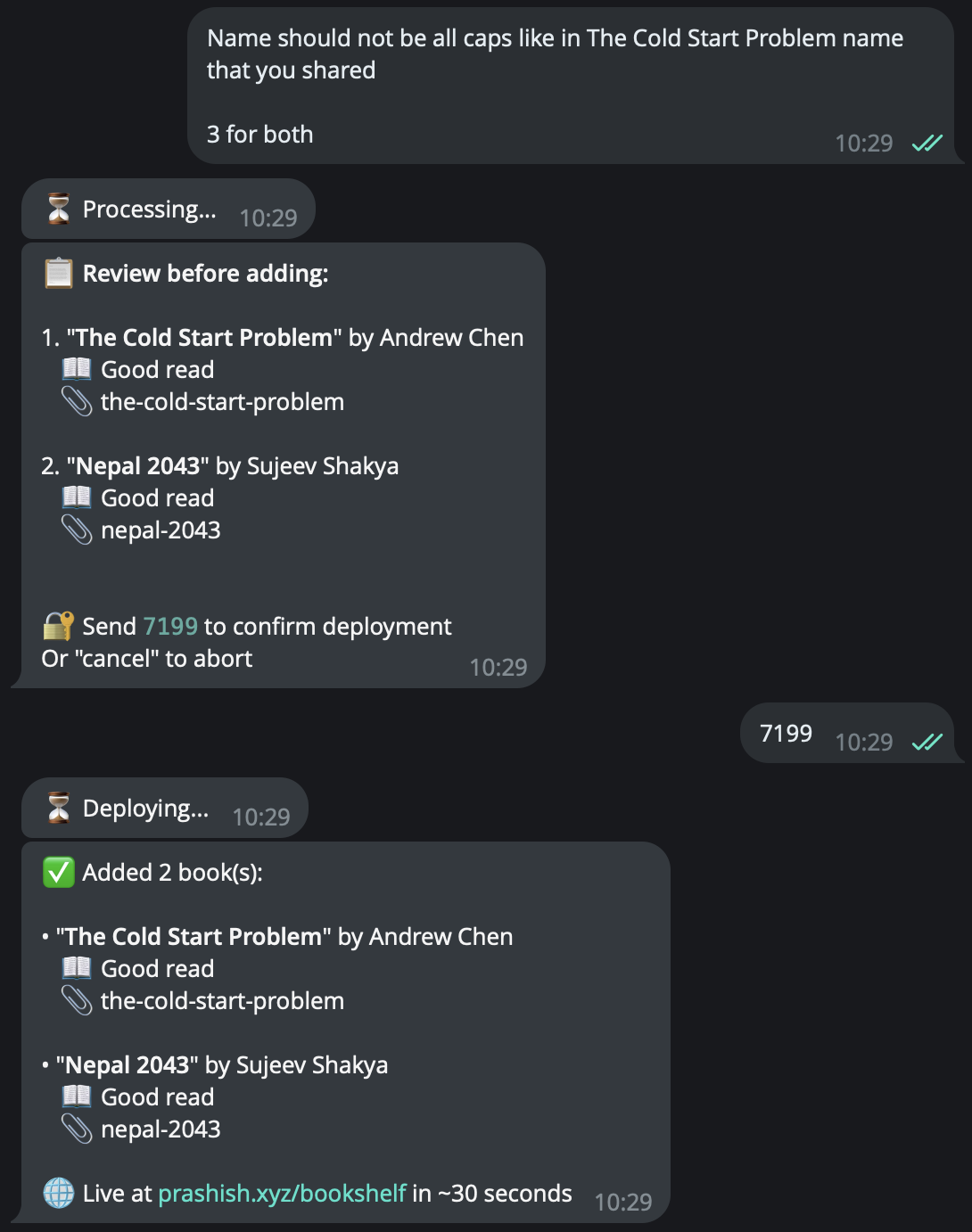
Providing ratings and corrections in natural language
After processing the response, the system presents a preview:
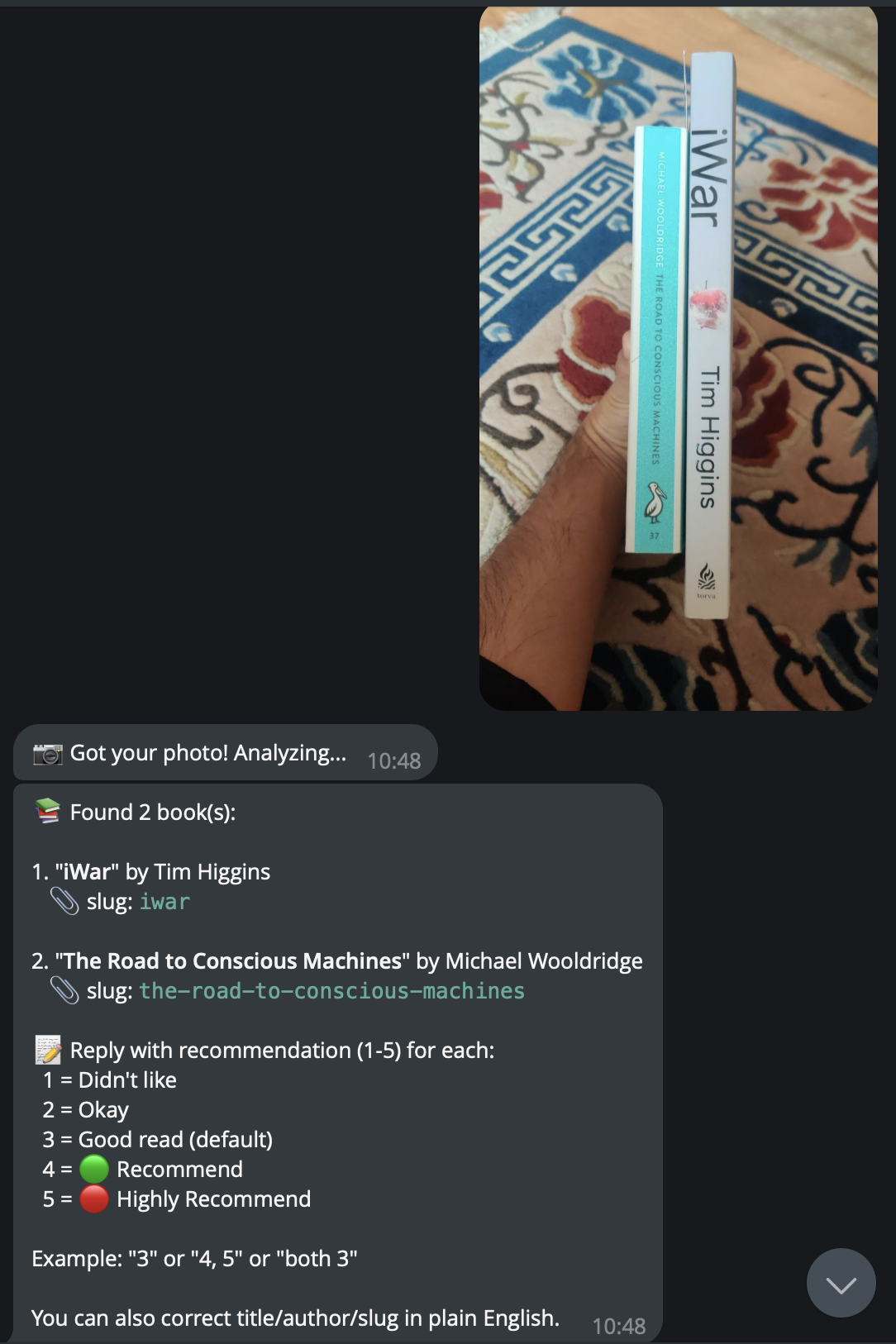
Bot prompts for rating feedback
Sending the confirmation code triggers the GitHub commit, and the books appear on the live website.
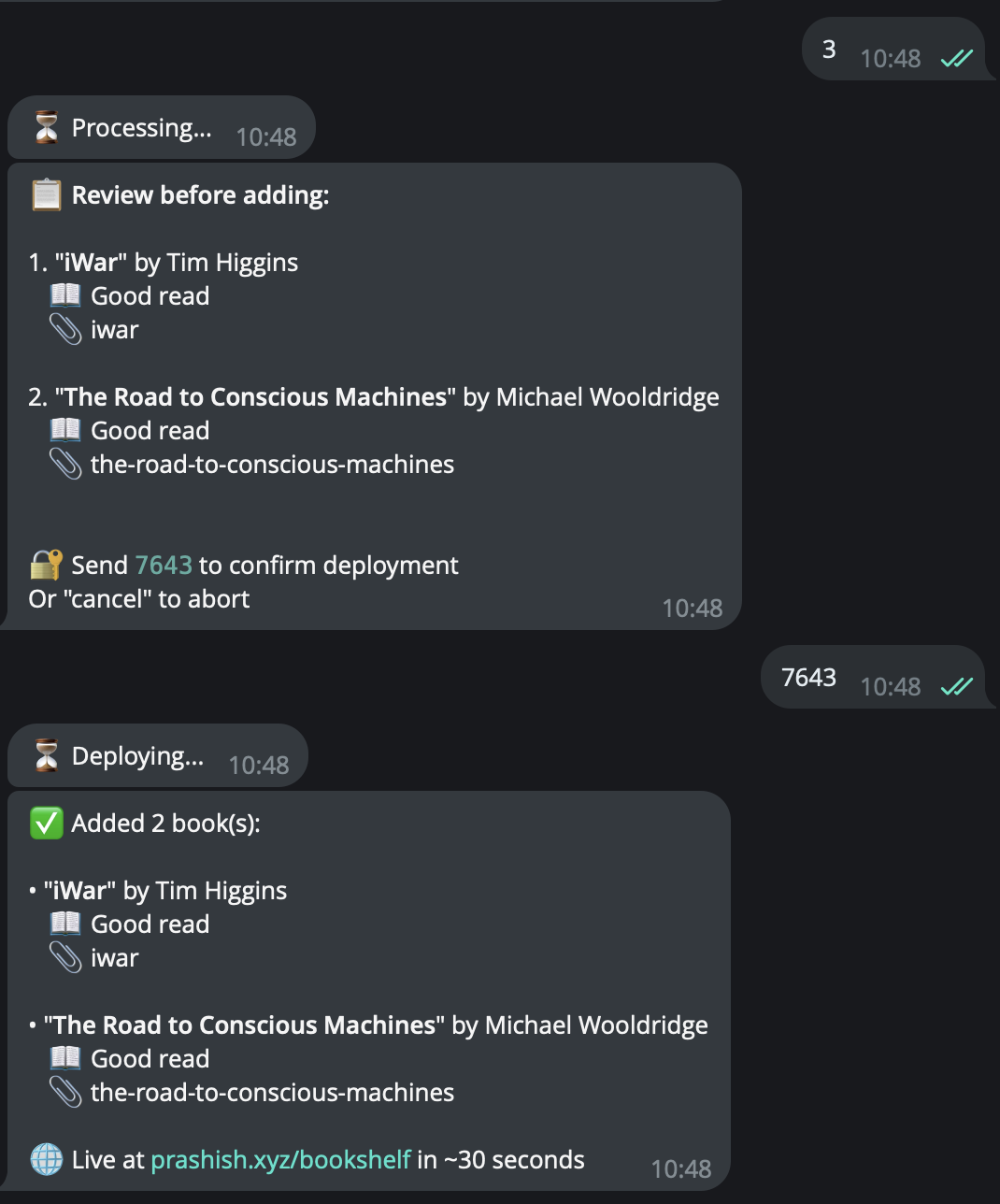
OTP sent and deployment confirmed
Security Implementation
The security architecture prioritizes simplicity while preventing both unauthorized access and accidental operations through two layers.
User ID restriction uses Telegram’s stable user IDs to validate every message. The worker checks the sender ID before processing anything, eliminating authentication flows, session tokens, and password databases. Only my Telegram account can trigger the bot.
Dynamic OTP confirmation prevents accidental deployments. Each confirmation requires entering a unique code shown in the preview, ensuring I actually reviewed the books before committing to GitHub.
Cost Structure
The entire system operates within free tier limits of all services involved, which remains surprising given the sophistication of the workflow.
| Service | Function | Monthly Cost |
|---|---|---|
| Cloudflare Workers | Bot logic and orchestration | $0 (100K requests/day free) |
| Cloudflare KV | Conversation state storage | $0 (100K reads/day free) |
| Gemini API | Book identification from photos | $0 (15 requests/min free) |
| Telegram Bot API | Conversation interface | $0 (unlimited) |
| GitHub API | Markdown file commits | $0 (5K requests/hour free) |
| Netlify | Hugo site rebuilds | $0 (300 build minutes/month free) |
Even with aggressive usage patterns of 50 books per month, all services remain well within their free tier limits. The fallback system that cascades through Claude Haiku and GPT-4o-mini in case of Gemini rate limiting exists primarily as insurance rather than expected regular use.
Development Experience
Claude Opus 4.5 wrote all the code for this system while I provided architectural direction and workflow design. The first version took about 1.5 hours from ideation to deployment, covering the exploration of approaches, core workflow implementation, and initial testing. I spent a couple more hours the next day refining the natural language parsing, error handling, and edge cases.
Claude provided detailed guidelines for deployment including writing all the code. All I had to do was get the API keys from Telegram, Gemini, and GitHub, add them to the Cloudflare Worker environment variables, and deploy.
Traditional development without AI assistance would likely have taken two to three days given the complexity of webhook configuration, multi-provider AI integration, and state management. With AI handling the implementation, I could focus entirely on architecture and workflow design.
Broader Implications
This project demonstrates a pattern applicable beyond book cataloging because the combination of AI accessibility, serverless simplicity, and AI-assisted development enables personal automation systems that would have required significant development effort just two years ago.
Free tier APIs from major providers make image understanding accessible for personal projects. Cloudflare Workers and similar platforms eliminate infrastructure management for low volume automation. Building systems through AI collaboration reduces development time from days to hours. Well-documented APIs for services like GitHub, Telegram, and various AI providers enable rapid integration across different domains.
The friction between physical world actions and digital record keeping creates numerous opportunities for similar automation including receipt scanning for expense tracking, business card photography for contact management, plant identification for garden logging, and document photography for filing systems. Each follows the same pattern of capturing an image, extracting structured data via AI, and committing to a persistent system.
Personal automation represents an underexplored application area for these capabilities because most AI development focus targets enterprise applications or consumer products. Individual developers building systems for personal use can accept different tradeoffs around scale, reliability, and polish, which enables solutions that would be impractical at commercial quality levels.
Conclusion
This system makes it easy for me to add books to my catalog with just a snap. What previously required spreadsheets, scripts, and git commands now happens through a brief Telegram conversation that typically completes before leaving the bookstore.
This project shows how well AI-assisted development works for personal automation with clear requirements and room for iteration.
For those considering similar personal automation projects, the key insight is that these systems are now accessible without significant investment because free tier services, AI development assistance, and mature API ecosystems combine to make sophisticated personal infrastructure achievable in hours rather than weeks.
If you are building something similar, reach out at namaste@prashish.xyz.